
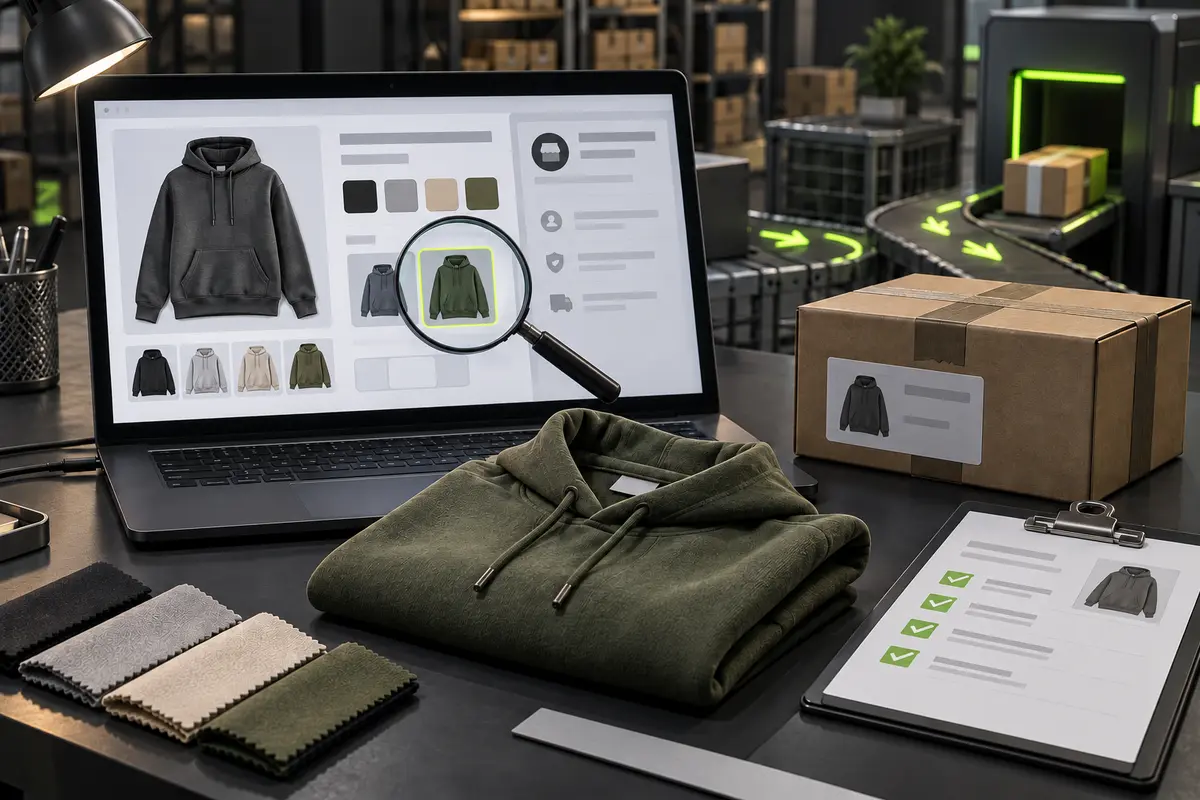
Do not treat the seller page as a permanent specification
A product page feels authoritative because it presents a photograph, price and selection boxes in one place. In reality, it is a moving sales document. A seller can change the main image, rename a color, replace a size chart, remove a bundle or alter the domestic delivery charge. If your only record is the live link, the version you remember may not be the version CSSBuy sees when the purchase is processed.
CSSBuy's Buy For Me workflow accepts pasted product links and describes keyword results from Taobao, Tmall and 1688, plus other supported sources. Because those pages expose different levels of detail, the buyer still needs a stable order record.
Your first job is therefore not to decide whether the product looks good. It is to convert the listing into a stable order record. Save the source, exact selection, visible seller conditions and the evidence needed to recognise the item later. This takes a few minutes and prevents a surprising number of warehouse arguments.
Separate the product family from the exact item you want
Begin with identity. Record the listing title, seller or shop name, product-page image and the source platform. Then isolate the exact option rather than describing the broad product. “Green hoodie” is not enough when one page contains several greens, fabric weights, print versions or seasonal revisions. Use the option name shown by the seller and pair it with a screenshot of the selected thumbnail.
Capture any model code or option-specific image that distinguishes the item. If a set includes several pieces, record what the chosen set contains. If the title and option image disagree, ask for clarification before payment.
CSSBuy explains that buyers can select colour, size and quantity before adding an item to the cart or checking out. Treat those selections as structured fields, but do not assume they tell the whole story. The listing description may attach important conditions to an option, such as a different material, revised batch, deposit, minimum quantity or excluded accessory. Save the context that gives the selection meaning.
- Source platform, product link and seller identity
- Exact option names in the order they appear
- Selected thumbnail and any model or batch code
- Included pieces, excluded accessories and set composition
- Seller chart, measurements or other decision-critical description
Build a variant sentence that another person cannot misread
Many order errors start with two selectors that depend on each other. The first may be colour and the second size, but it can also be model and package, fabric and length, or left and right configuration. Clicking the right-looking picture is not enough. Write a one-line variant sentence containing every selector, quantity and essential condition.
For example, your private record might say: olive option from the fourth thumbnail, size selected from the seller chart, one piece, garment only, no gift box. The wording is deliberately plain. It gives the purchasing team something that can be compared with the live page and later gives you something that can be compared with warehouse photographs.
Never translate an ambiguous seller term into a stronger claim. A colour name can be approximate, and a size label is not a body measurement. If fit matters, save the seller's chart and compare it with a similar item you own. If material matters, distinguish a seller statement from something a normal warehouse photograph can verify. Visible colour and labels may be checked; exact fibre composition or hidden construction usually cannot be proven by a standard image.
One displayed price can describe several different units
Price is useful only when its unit is clear. A displayed amount may apply to one item, one pair, one component, one minimum batch or the cheapest option on the page. Check the quantity selector and the wording around set composition. For 1688 products in particular, CSSBuy warns that many suppliers set a minimum order quantity. A low unit price is not a complete purchase cost when the seller requires several units.
Record the price attached to the final variant, not the first price visible at the top of the page. If the page shows a range, identify which option creates your number. If a seller image advertises a promotional amount that does not appear at checkout, treat the checkout state as the unresolved fact and ask before proceeding.
Quantity also affects warehouse verification. Two different sizes need separate variant lines. Do not hide several choices inside a total such as “three hoodies”; list each combination so a missing or swapped item remains observable.
A price without its selected option, unit and required quantity is not an order-ready price.
Keep the seller-to-warehouse charge visible
CSSBuy's official workflow separates the item purchase stage from international parcel delivery. At the item stage, it states that the buyer pays for the product and the Chinese local delivery fee. That domestic charge moves the order from the seller to the CSSBuy warehouse; it is not the later international shipping payment.
Write the domestic amount as its own line instead of folding it into the item price. If several units are ordered, check whether the seller charge changes with quantity or destination. If the live page does not provide a dependable amount, mark it as unconfirmed. A blank field is safer than inventing free shipping because the product price looks complete.
Your planning subtotal should therefore contain at least the selected merchandise, required quantity and visible domestic delivery. Payment conversion or method effects may be separate. International freight remains unknown until the goods are prepared as a parcel, so do not force it into the listing check. The purpose of this stage is to prevent a missing local charge or minimum quantity from changing the buying decision after you have emotionally committed to the product.
Use notes to define a choice, not to transfer uncertainty
CSSBuy says it contacts the seller and purchases the submitted items. During that process, buyers can use Add Note for further details, and CSSBuy may contact them by email or message when information is missing. The best note makes one decision easier. It identifies the order, points to the ambiguous field and states what outcome is acceptable.
A weak note says, “Please make sure it is good.” A useful note says the selected option must match the saved olive thumbnail, asks the seller to confirm the named size is available, and instructs the purchaser to stop rather than substitute another colour. The second note has an observable boundary. It does not ask the purchaser to make a taste decision on your behalf.
Use stop rules for details that would cancel the purchase: wrong material claim, unavailable size, changed price beyond your limit, missing part or required quantity above your need. Use acceptance rules for flexible details: a small shade range, alternative packaging or a dispatch delay you are willing to tolerate. When every detail is marked urgent, the truly important instruction becomes difficult to see.
Decide what acceptance will mean before the item arrives
CSSBuy describes quality inspection and warehouse photography after arrival, with stored items visible through the international-order area. This creates a decision window, but it does not repair an incomplete purchase record. Warehouse evidence is most useful when you already know what must be compared.
Turn the listing record into a short acceptance checklist. Confirm category, colour family, selected size label, quantity and included components. Add one or two product-specific checks that can be seen: a front graphic, hardware colour, connector type or printed model code. If measurement is critical, define the endpoints and tolerance before ordering rather than deciding after a ruler photo appears.
Separate seller promises from warehouse-observable facts. A normal photograph may show labels and surfaces, but not prove hidden material or construction. Do not accept a visibly wrong variant simply because the overall product looks similar.
When a discrepancy appears, keep the item out of parcel submission while you clarify it. The original listing snapshot, final selections and warehouse images should form one evidence chain. That chain is far more actionable than a message written from memory after the seller page changes.
Different listings fail in different ways
Consider a sweatshirt page with four nearly identical greens. The buyer records only “green, medium.” At purchase time, the seller renames the shades, and the warehouse later receives a colour that is plausible but not intended. A saved thumbnail plus its position and option wording would have created a stable comparison. The lesson is not to demand perfect colour accuracy from screens; it is to preserve which seller option was chosen.
Finally, consider a multi-unit 1688 listing. The displayed unit price fits the budget, but the supplier minimum quantity creates an unwanted total. CSSBuy publicly tells buyers to refer to the supplier's minimum order quantity. Recording that rule before payment changes the decision while it is still cheap to change.
These situations share one pattern. The buyer saw enough information to feel confident but did not preserve enough information for another person to execute the choice. A good listing check closes that gap without pretending the seller page is risk-free.
Approve the record only when every cost-changing field is resolved
Before submitting the purchase, open your saved record beside the final CSSBuy order screen. Confirm the source, seller, exact variant combination, quantity, unit price, set contents and visible domestic delivery charge. Check that any restricted-item warning has been understood and that your stop rules are short enough to act on.
Should I save the entire seller page?
No. Save the parts controlling identity, price, quantity, included pieces, sizing and acceptance.
Can CSSBuy choose a substitute if my option is unavailable?
Do not assume that. If colour, size or version is essential, write a stop rule and wait for confirmation.
Is domestic freight the same as international shipping?
No. The Chinese local delivery fee covers movement from the seller to the warehouse. International parcel shipping is a later stage with different inputs.
Does warehouse QC guarantee every seller claim?
No. Warehouse photos and inspection can document visible identity and condition. They cannot automatically verify every hidden material, technical or authenticity claim.
A careful CSSBuy product listing check is not bureaucracy. It is the moment when a changing sales page becomes a usable purchase instruction. Record what another person must buy, what the seller must supply, what local cost is visible and what the warehouse should later confirm. That is how you move uncertainty forward as evidence instead of discovering it as an international parcel problem.